
August 19, 2024 · 8 min read · Danny Roman
Unlocking the Secrets to Perfect ChatGPT Prompts
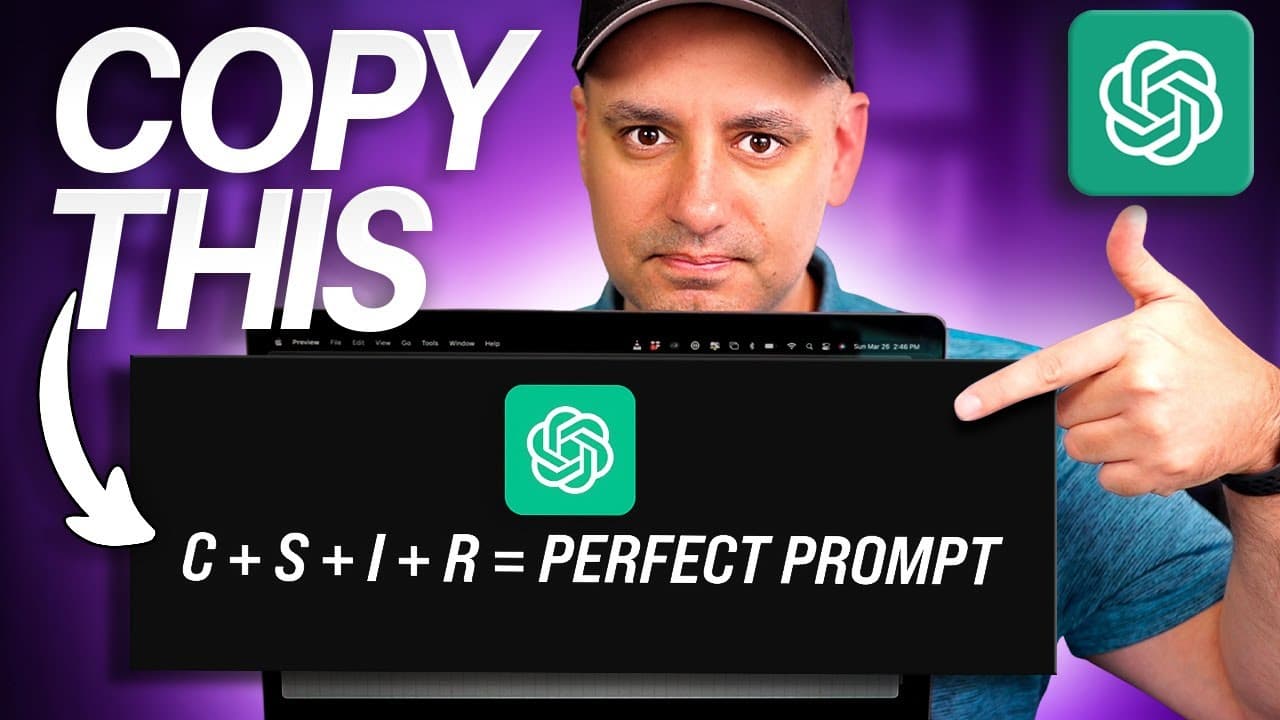
Are you ready to revolutionize the way you interact with AI? Discover the perfect formula for crafting prompts that yield outstanding responses every time! In this blog, we’ll explore the essential practices and a foolproof formula to enhance your experience with ChatGPT, Bard, and Bing.
Table of Contents
Introduction to Prompt Engineering 🚀
Prompt engineering is the art of crafting precise inputs to get the best possible outputs from AI models like ChatGPT, Bard, and Bing. It's a skill that can drastically improve your interactions with these tools.
What is Prompt Engineering?
Prompt engineering involves structuring your questions or commands in a way that the AI can understand and respond to effectively. It’s about being clear, concise, and detailed.
Why is it Important?
Good prompt engineering saves time and enhances the quality of AI responses. By providing the right context and details, you can avoid the need for multiple revisions.
Key Components
Effective prompt engineering includes:
Context
Specific Information
Intent/Goal
Response Format
Real-Life Applications
Whether you're a student, professional, or hobbyist, mastering prompt engineering can make your interactions with AI more productive and enjoyable.
The Importance of Being Specific 🧐
When crafting prompts, specificity is key. The more details you provide, the better the AI can understand and respond to your needs.
Why Specificity Matters
Specific prompts help the AI model to narrow down the possible answers, making the response more accurate and relevant. Vague prompts often lead to vague answers.
Examples of Specific Prompts
Compare the following prompts to see the difference:
Vague: "Tell me about dogs."
Specific: "What are the different breeds of small dogs suitable for apartment living?"
Tips for Being Specific
Here are some tips to help you be more specific in your prompts:
Include relevant details
State your intent clearly
Specify the format you want the answer in
Practice Makes Perfect
The more you practice being specific, the better your interactions with AI will become. Start with simple prompts and gradually add more details.
Stating Your Intent Clearly 🎯
Stating your intent clearly is crucial for getting the best response from ChatGPT. When you provide context and the purpose behind your question, the AI can tailor its answer to meet your specific needs.
Why Intent Matters
When you state your intent, you guide the AI to produce more relevant and useful responses. This ensures that the output aligns with your goals.
Examples of Stating Intent
Consider these examples:
Vague: "Explain quantum physics."
With Intent: "I'm helping my son with his science homework. Can you explain quantum physics in a simple way?"
Tips for Stating Intent
Here are some tips to help you state your intent clearly:
Specify the purpose of your question
Include any relevant background information
Clarify the audience for the response
The Role of Spelling and Grammar 📝
Correct spelling and grammar are essential for obtaining accurate responses from ChatGPT. Even minor errors can lead the AI astray.
Why Spelling and Grammar Matter
Although the model can often correct mistakes, clear and correct prompts help ensure you get the best response. Small errors can mislead the AI.
Examples of Correct Usage
Compare these examples:
Incorrect: "Can yu explane quantm phisics?"
Correct: "Can you explain quantum physics?"
Tips for Correct Usage
To improve your prompts, follow these tips:
Use spell check tools
Proofread your prompts
Correct any grammatical errors
Directing the Output Format 🎨
Specifying the output format can dramatically improve the response quality. When you direct the format, you guide the AI to present information in the most useful way.
Why Format Matters
By indicating the desired format, you help the AI understand your needs. This can range from bullet points to paragraphs, or even a step-by-step guide.
Examples of Output Formats
Consider these examples:
"List the steps to bake a chocolate cake."
"Explain the process of baking a chocolate cake in a paragraph."
Tips for Directing Format
To get the best results, be clear about the format:
Specify list or paragraph
Indicate if steps are needed
Clarify if brief or detailed
The Power of Follow-Up Questions 🔍
Follow-up questions are essential for refining the AI's responses. They help clarify and expand on initial answers, ensuring you get the information you need.
Why Follow-Up Questions Matter
Even with a perfect prompt, follow-up questions can enhance the response. They allow you to adjust or clarify the initial input.
Examples of Follow-Up Questions
Use follow-up questions to dive deeper:
"Can you explain that in more detail?"
"What are some alternatives?"
Tips for Effective Follow-Up
Maximize the value of follow-up questions by:
Clarifying ambiguous responses
Requesting additional examples
Exploring different aspects
Experimenting with Different Phrasings 🧪
Sometimes, the first prompt doesn’t yield the best response. Experimenting with different phrasings can help.
Why Experimentation Matters
Different phrasings can trigger different responses from AI. This helps in finding the most accurate and relevant answer.
Examples of Rephrasing
Consider these variations:
Original: "How do I cook pasta?"
Rephrased: "What are the steps to cook pasta?"
Tips for Rephrasing
To improve results, try these tips:
Use synonyms
Change question structure
Be more specific
Fact-Checking for Reliable Information 🔍
Ensuring the accuracy of AI-generated information is critical. Fact-checking can help verify the details.
Why Fact-Checking Matters
Fact-checking enhances the reliability of the information. It ensures that the AI’s response is accurate and trustworthy.
Examples of Fact-Checking Prompts
Use these prompts to verify information:
"Can you fact-check this statement?"
"Is this information accurate?"
Tips for Effective Fact-Checking
Ensure reliable information by:
Cross-referencing sources
Using multiple prompts
Checking for consistency
The Perfect Prompt Formula Explained 🧩
Creating the perfect prompt involves a simple yet powerful formula. This helps you get precise and relevant responses from ChatGPT every time.
The Formula
The formula for a perfect prompt is: [Context] + [Specific Information] + [Intent/Goal] + [Response Format (if needed)] = Perfect Prompt.
Breaking Down the Formula
Let's break down each component:
Context: The background information or setting.
Specific Information: Details that narrow down the query.
Intent/Goal: The purpose or objective of your question.
Response Format: The desired structure of the answer.
Why It Works
This formula ensures that you provide all necessary information upfront. This minimizes the need for follow-up questions and gets you the best possible response in one go
Real-Life Examples of Perfect Prompts 🌟
Let's look at some real-life examples to see how this formula works in practice.
Example 1: Beginner Cook
Imagine you're a beginner cook trying to make Italian cuisine. Here's how you can use the formula:
Context: "I'm a beginner cook."
Specific Information: "trying to make Italian cuisine."
Intent/Goal: "Can you provide a simple and easy to follow recipe?"
Response Format: "Write it as a step by step list?"
Perfect Prompt: "I'm a beginner cook trying to make Italian cuisine. Can you provide a simple and easy to follow recipe for spaghetti carbonara? Write it as a step by step list?"
Example 2: Software Developer
Now, let's consider you're a software developer working on a Python project:
Context: "I'm a software developer."
Specific Information: "working on a Python project."
Intent/Goal: "Can you explain how to implement exception handling in Python?"
Response Format: "Write it in a simple paragraph or list."
Perfect Prompt: "I'm a software developer working on a Python project. Can you explain how to implement exception handling in Python? Write it in a simple paragraph or list."
More Context
You can add more context to make the prompt even more specific. For example, for the cooking prompt, you could specify, "Make me lasagna."
This formula helps you get detailed, accurate, and useful responses without the need for multiple revisions. Try it out and see the difference it makes!
The Future of AI Learning Platforms 🌐
The future of AI learning platforms is incredibly exciting. These platforms are evolving to offer more personalized and comprehensive learning experiences.
Netflix-Style Learning
Imagine a Netflix-style learning platform dedicated to AI. This platform offers the latest tools, tutorials, and complete courses on various AI topics.
It's designed to keep you up-to-date with the latest advancements and ensure you don't fall behind.
Comprehensive Courses
These platforms provide in-depth courses that go beyond basic tutorials. They offer detailed lessons that help you master AI tools and techniques.
Stay Ahead of the Curve
With continuous updates and new content, these platforms help you stay ahead in the ever-evolving field of AI. You'll always have access to the most current information.
Frequently Asked Questions ❓
Here are some common questions about AI learning platforms and prompt engineering.
What is prompt priming?
Prompt priming involves preparing the AI before giving it a prompt. This technique enhances the quality of the responses.
How do I get started with AI learning platforms?
Most platforms offer free trials. You can start by exploring the available courses and tutorials to see what suits your needs.
Can I use the perfect prompt formula with any AI?
Yes, the perfect prompt formula works with ChatGPT, Bard, Bing, and many other AI models. Just follow the formula for optimal results.
Are there any prerequisites for these courses?
Many courses are designed for beginners, so no prior knowledge is required. Advanced courses are also available for experienced users.
You might also like
August 19, 2024 · 7 min read
Unlocking the Web: ChatGPT's Exciting New Browsing Capabilities
ChatGPT has taken a giant leap forward with its new web browsing feature! This upgrade allows users to access real-time information and utilize powerful…

August 17, 2024 · 7 min read
12 Incredible Websites You Didn't Know Existed!
Discover a treasure trove of twelve amazing websites that can transform your online experience! From file transfers to recipe simplifications, these tools are…

August 17, 2024 · 7 min read
12 Incredible Websites You Didn't Know Existed! Discover a treasure trove of twelve amazing websites that can transform your online experience! From file transfers to recipe simplifications, these tools are designed to save you time and enhance your productivity. Let's dive into the world of these hidden gems! Table of Contents Introduction 🌟 Snapdrop 📁 TOSDR 📝 Diffchecker 🔍 Archive 🗃️ Hostinger 🖥️ RetroTV 📺 Monkey Type 🐒 Just The Recipe 🍲 What The Font 🔤 Noun Project 🎨 Priv Note 🔒 10 Mail ⏳ FAQ ❓ Introduction 🌟 Hey friends, Andrew here. Hope you're well. Finding a website that you love so much you end up bookmarking it is sort of like finding a gem in the rough. In this blog, let's explore twelve incredible websites you likely haven't heard of that will help you save precious time, navigate the web more easily, and do some pretty amazing things. Snapdrop 📁 If you ever need to transfer files quickly and easily between devices, this website is incredible. How It Works Snapdrop.net functions exactly like Apple's AirDrop but is compatible with any device on your network. Steps to Use Snapdrop Open Snapdrop on both devices The devices will appear on each other's screen Drag and drop the file you want to send The file pops up for download on the other device It's as simple as that! TOSDR 📝 If you find reading fine print and terms of service daunting, you're not alone. This is where TOSDR (Terms of Service Didn't Read) comes in handy. How It Works TOSDR.org analyzes terms of service agreements and highlights the most critical points. This helps you understand what you're agreeing to. Example: PayPal For instance, when you search for PayPal, TOSDR color-codes the clauses. You’ll learn that signing up means waiving certain moral rights, but it also ensures your information isn’t shared with third parties. This tool is a game-changer for anyone unsure about what they’re signing up for. It’s a must-bookmark site! Diffchecker 🔍 Diffchecker is another fantastic website that I use constantly. This tool automatically compares two documents for differences. How It Works Diffchecker allows you to select the document type and upload your files. It even supports images and Excel spreadsheets. Steps to Use Diffchecker Select document type Upload files View highlighted changes This feature saves hours by showing changes between versions without manual scanning. It's incredibly useful for contract changes or updated files via email. Archive 🗃️ Ever needed to save a website exactly as it is? Archive.today is your go-to tool! How It Works This website allows you to capture a webpage forever. Simply type in the URL, and it will create a snapshot of the page that will remain online even if the original disappears. Why Use Archive.today? Supports heavy JavaScript sites Retains live link functionality Great for price lists, real estate, and job listings Unlike screenshots or PDFs, Archive.today lets you interact with the saved page, making it an invaluable tool for dynamic content. Hostinger 🖥️ Thinking of building your own website? Hostinger.com is an excellent all-in-one website builder. Why Choose Hostinger? Hostinger offers fast and secure web hosting plans, with the business plan being particularly beneficial. It includes inbuilt AI and eCommerce features. Easy Website Building Hostinger’s new AI website builder makes it extremely simple to create a website. Just answer a few prompts, and it will generate a website base for you. AI Tools for Customization AI logo maker Inbuilt blog generator Drag and drop editor These tools allow for quick customization, making it easy to add new segments or generate new images. If you're looking to create a website effortlessly, check out Hostinger through the links provided. RetroTV 📺 For a fun and nostalgic trip down memory lane, RetroTV is an absolute gem. This website lets you explore old-school TV channels from various eras. Variety of Channels RetroTV boasts an impressive range of channels. You can find classic music, cartoons, and even old school news channels. Classic music channels Cartoons Old school news channels Authentic Experience The flicker effect and buzzing noise when flipping through channels add to the authenticity. It's like stepping back in time. Spanning from the 1950s to the 2000s, the variety is incredible. It's a nostalgic paradise for anyone who loves retro content. Support the Creators While the site is more fun than functional, it's worth supporting. Donate a coffee to the creator to show appreciation for their hard work. After all, these free-to-use websites rely on our support to keep running. Monkey Type 🐒 If you want to improve your typing skills, Monkey Type is a fantastic and aesthetically pleasing option. This site offers a customizable typing practice experience. Customizable Typing Tests Unlike many typing tests, Monkey Type allows you to choose what you type. You can practice with words, quotes, or custom text. Words Quotes Custom text Performance Breakdown Once you finish typing, Monkey Type provides a detailed breakdown of your speed and accuracy. It's a comprehensive way to track your progress. I've tried many typing tests, and Monkey Type stands out as the best. Its interface and features are top-notch. Competitive Typing If you're competitive, try Type Racer for online typing races. It's another fun way to practice typing while competing with others. Both websites are excellent for improving your typing skills. Just The Recipe 🍲 Ever get frustrated with cluttered recipe blogs? Just The Recipe is your solution! How It Works Simply copy and paste the recipe link into the website. It instantly formats the recipe, giving you just what you need. Copy recipe link Paste into Just The Recipe Get a clean, formatted recipe Extra Features You can save, print, and even change measurement units on the fly. It's incredibly handy! Although I don't cook as often as I'd like, this site is a lifesaver when I do. It strips away all the fluff and gives me exactly what I need. What The Font 🔤 Ever see a font and wonder what it is? What The Font will help you find out. How It Works Upload an image of the font you like. The site identifies the text and provides a list of font matches. Upload font image Identify text Review font matches Accuracy and Convenience You may need to manually check the matches, but it’s usually spot on. It's a game-changer for designers and font enthusiasts. Nine times out of ten, this tool gets it right, making it incredibly reliable for identifying fonts quickly and easily. Noun Project 🎨 Need icons for your projects? The Noun Project is a treasure trove of royalty-free icons. Diverse Collection Whether it's for a school presentation or an infographic, this site has you covered. It offers a vast array of icons on almost any topic. Easy to Use Simply search for an icon, and you'll find hundreds of options. Click on the one you like and download it. Search for an icon Choose from hundreds of options Download and attribute the owner With over five million quality icons to choose from, you'll never run out of options! Priv Note 🔒 Want to send a private note that self-destructs? Priv Note is the tool for you. How It Works Type your note and set it to delete after being read. You can even add a password and receive a notification when it's read. Secure and Simple Once you send the custom link, the recipient can read the note. After they refresh the page, the message is gone forever. Type your note Set self-destruct options Send custom link Perfect for sending quick, private messages without leaving a trace! 10 Mail ⏳ 10 Mail is a lifesaver for anyone needing a temporary inbox. How It Works This website generates a temporary email address that you can use for sign-ups and offers. Generate email address Copy and paste for sign-ups Receive emails in temporary inbox Inbox vanishes after 10 minutes It's perfect for bypassing spam and protecting your identity. Just grab a quick email and you're done! FAQ ❓ Got questions? Here are some common ones answered! Why use these websites? These tools save time, enhance productivity, and offer unique solutions you didn't know existed. Are these websites free? Most are free with optional premium features. Always check the individual site for details. How do I access these websites? Simply click the links provided or search for them online. Bookmark your favorites!
Discover a treasure trove of twelve amazing websites that can transform your online experience! From file transfers to recipe simplifications, these tools are…